The Design Office
Documents & CDE
The common data environment underneath everything else: an append-only version log, transmittals with acknowledgement, and controlled access for consultants, client and contractor.
- Whole practice
- External parties
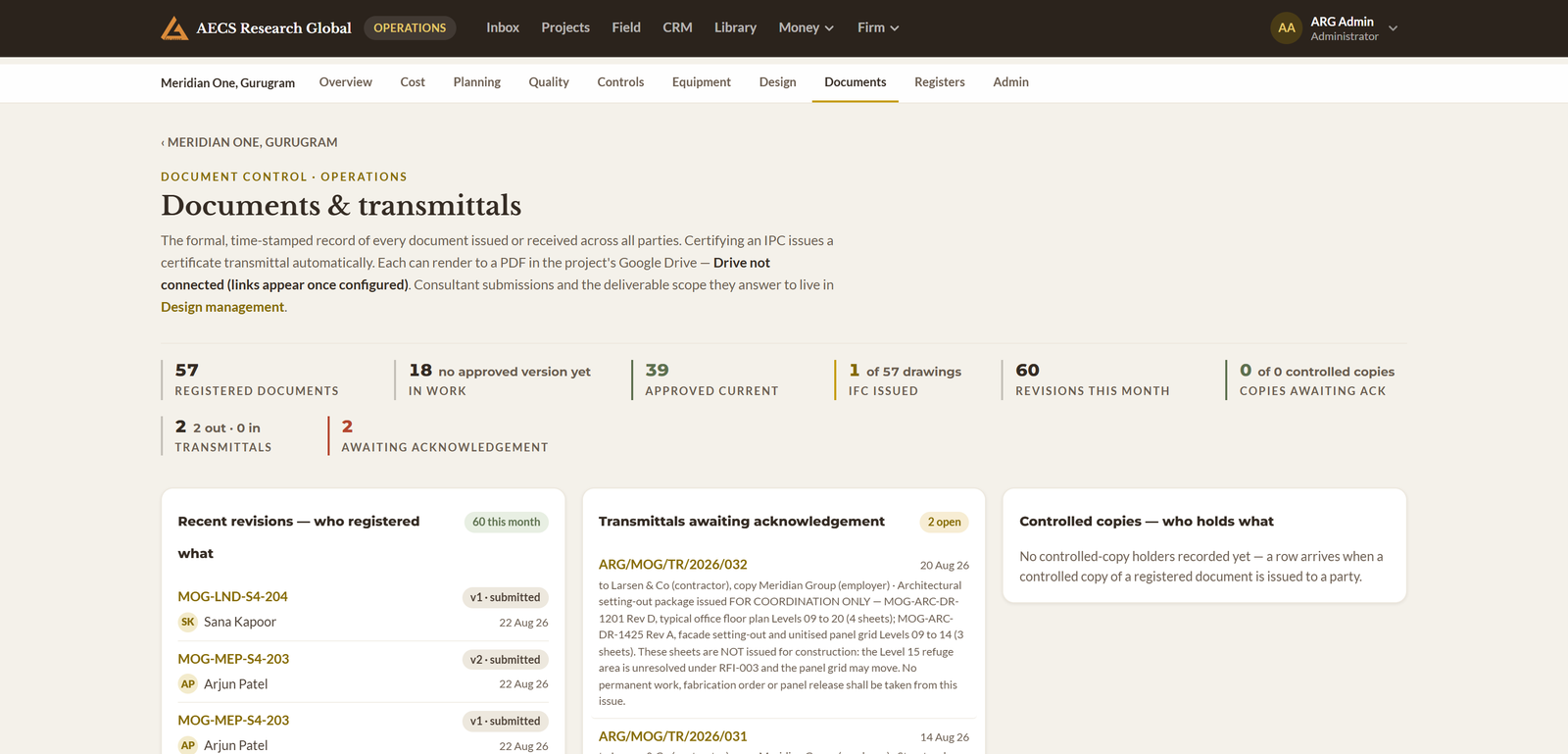
In a practice. A shared drive is storage. A CDE is a control layer: it knows which version is current, who is entitled to see it, what suitability it carries, and that the copy issued last March still exists exactly as issued. That difference is what makes the register in module 01 trustworthy.
What it holds
Append-only version log
Versions are inserted, never updated or deleted, with a mutable pointer layer marking working, approved and final. The history cannot be rewritten, by anyone, including an administrator.
Structured folders and naming
A consistent structure per project so a consultant joining in year two finds things where the last one left them, and file naming follows your practice convention rather than each person’s habit.
Transmittals with evidence
Issue sets carrying a reference, recipients, revisions and a file manifest — with acknowledgement recorded and the issued file’s fingerprint stored alongside.
Access by role, not by folder-sharing
The client sees issued documents, a consultant sees their own discipline and what they need to coordinate against, a contractor sees construction-suitable sheets. Nobody gets a link that outlives their appointment.
Kept safe
- Nightly encrypted backups, proven by an automated restore drill
- File-type and magic-byte validation on every upload
- Cancellation suspends, never deletes — export on exit is yours
What it will not allow
- Overwriting an issued version
- A transmittal without a manifest
- Access surviving the appointment that granted it